Tune Your IEMs
Published on
Here’s how you can tune your $20 IEM to sound like a $200 IEM in 5 minutes, for free, without any prior knowledge:
Go to Hangout Audio and search for your IEM. If it’s not there, use Squig.link. Hangout uses a superior measurement system (5128) that’s several times better.
Remove everything loaded by default.
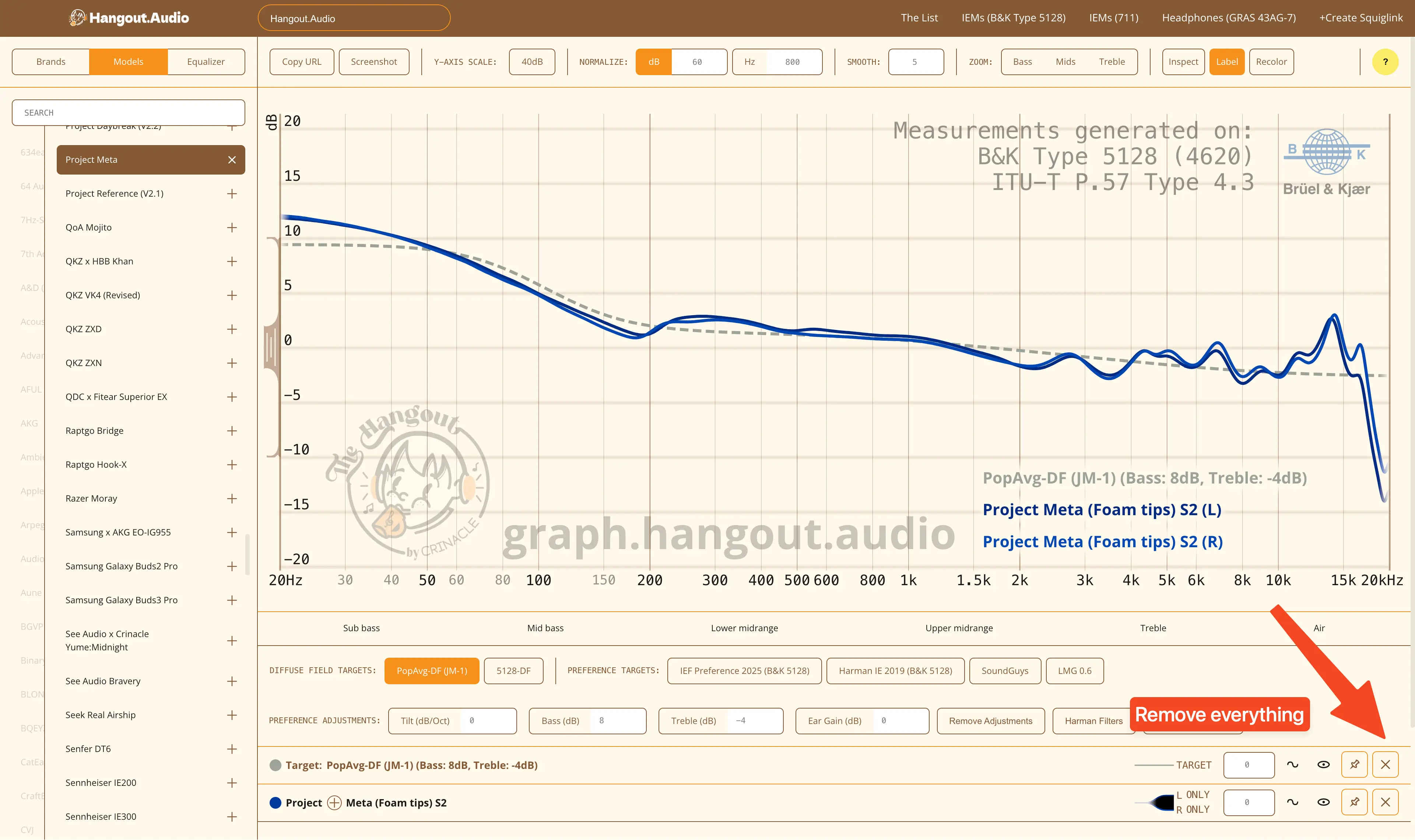
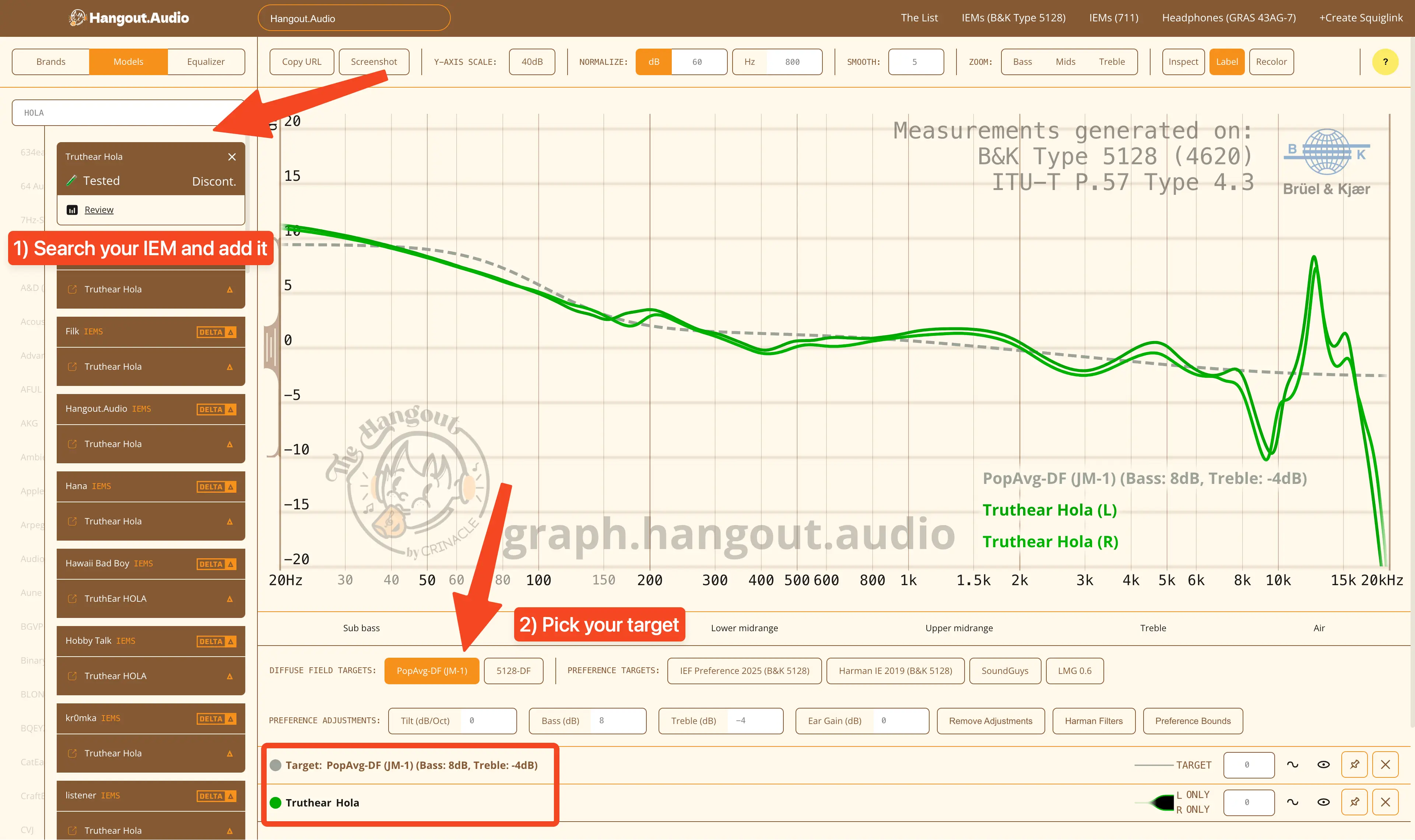
Search for your IEM on the left and add it. Pick your target. If you’re unsure, I recommend the PopAvg-DF (JM-1) target. Make sure only your IEM and target are on the list.
Go to the Equalizer tab. Select your IEM in the Parametric Equalizer menu.
If you’re on Hangout, only change the Q Range to 0 and 5. If you’re on Squiglink, only change Frequency Range to 100 and 6000. Leave the rest as is.
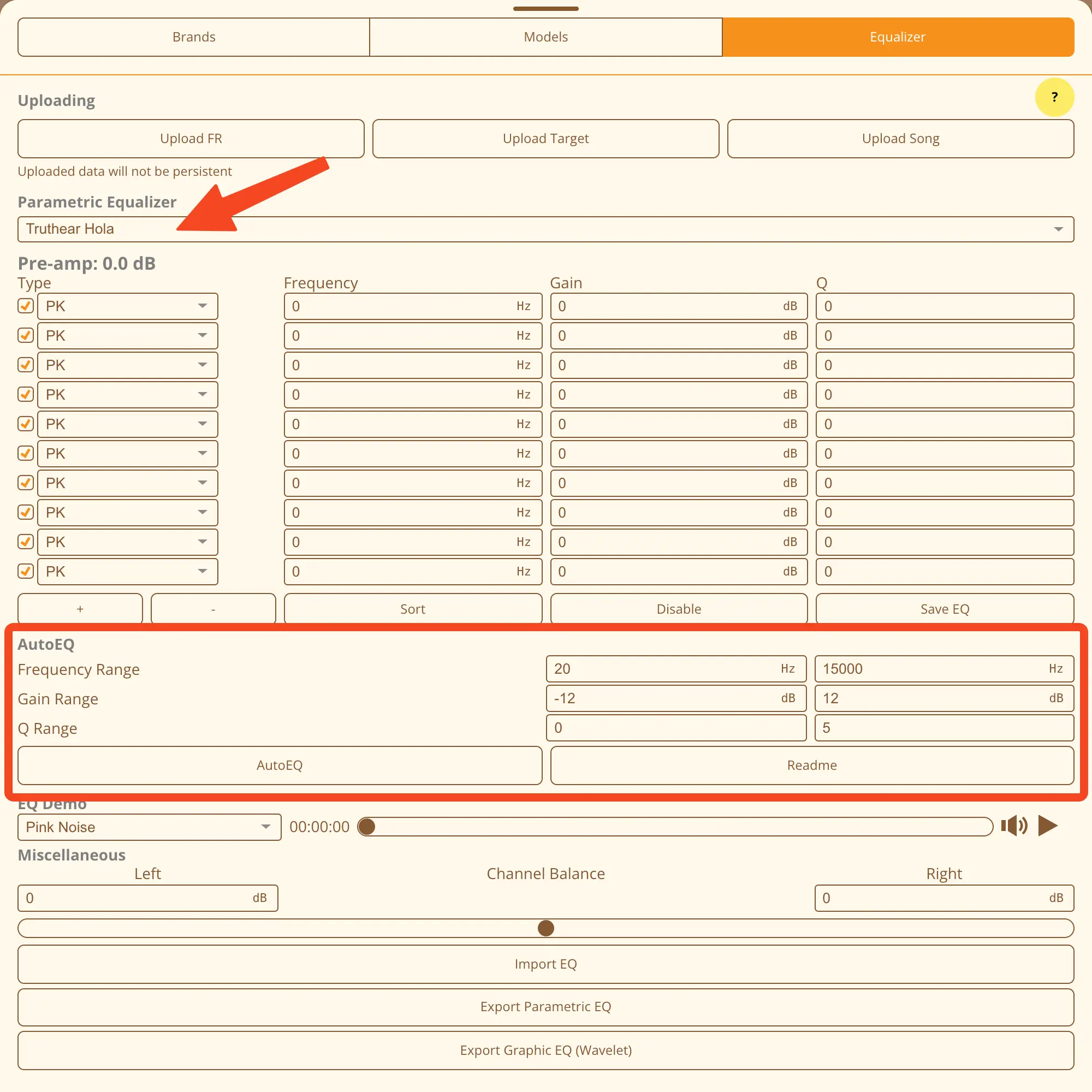
Click the AutoEQ button. It will generate an EQ profile for you. Once it’s done, verify the graph and click Export Parametric EQ/Graphic EQ in the Equalizer tab.
Parametric EQ is superior to graphic EQ. If you can, use the former. Use these apps to apply the profiles:
Windows: EqualizerAPO with or without Peace GUI Android: Poweramp Equalizer (separate app), Wavelet (only graphic EQ) MacOS: AUNBandEq with AU Lab and BlackHole or Soundflower. Paid: eqMac, SoundSource. Linux: PulseEffects / EasyEffects iOS: System wide EQs aren’t possible. Depends on audio player apps.
If you want to make your IEM sound like another IEM, remove the target and add another IEM. Make sure the IEM you own is the one selected in the Equalizer tab. Rest is same.
Happy EQ-ing!